IT Administrators unlock the potential of your existing Microsoft Lync® or OCS® implementations with psIMAlerts : a Powershell ® CmdLet to send bulk IM Alerts.
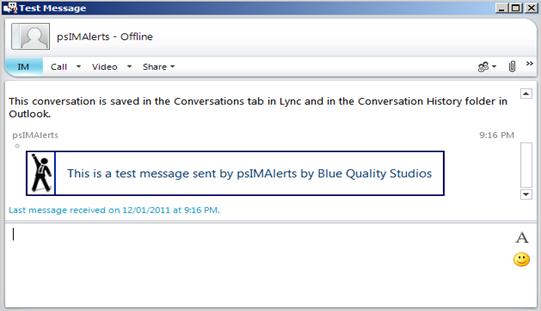
Get that important corporate, financial or IT message to all or selected staff easily and professionally with more than 12 rich message templates included: “Email Outage”, "Winning", "Success", "UpAndUp" and “Halt”. Generate additional custom message templates with your favorite HTML Editor (like Microsoft Word® or Adobe Dreamweaver®). Here are some examples:
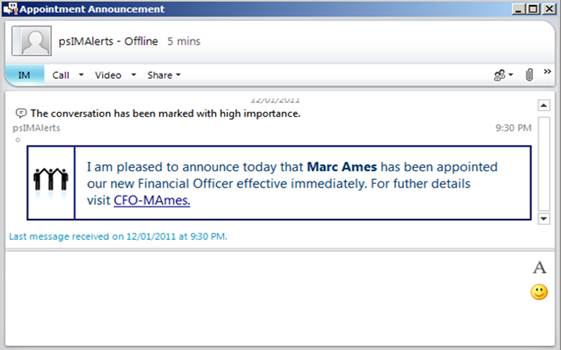
A Corporate Announcement with the “Winning” template
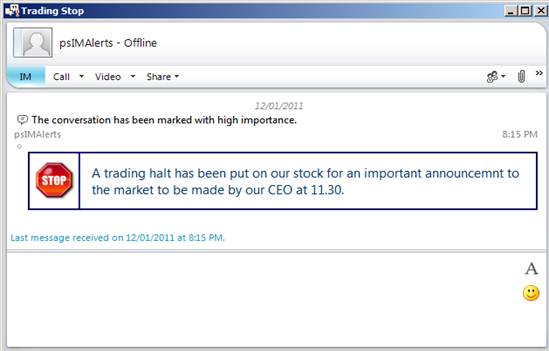
Corporate Newsflash with the “Halt” template
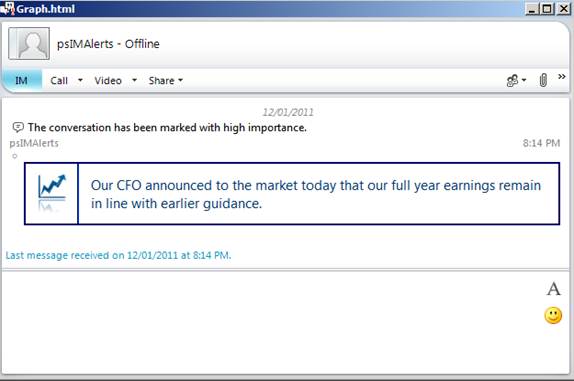
Financial Newsflash with the “UpAndUp” template
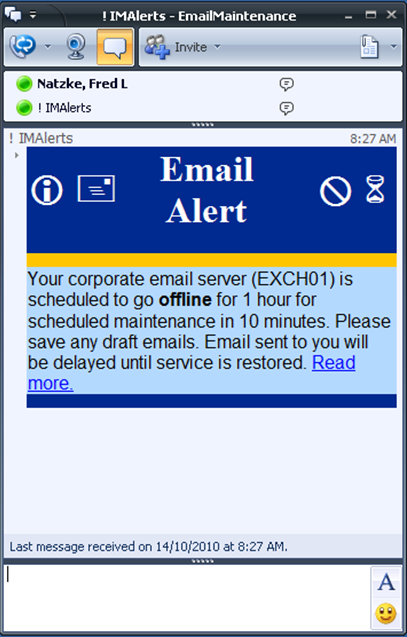
IT Alert with the “Email Outage” template
The Powershell® to send an IM Newsflash can be as simple as a single line like:

IT Admins use the psIMAlert Target Script Generator to interactively generate a Powershell ® script:
![PS C:\\ > .\\1-SingleTarget.ps1
psIMAlert Single Target Script Generator
# Select one of the message styles/template.
# 1-Email Outage, 2-IM Outage, 3-Test, 4-Announcement 004
Message Template [4-Announcement 004]: 4
# Select the recipient(s) by provided a Target Id.
# A target Id can be the id of an AD group or single AD account.
#
# The target id can be a SIP URI, email address, Login Id or Display Name.
# If a group id then all members (including nested members) will be recipients.
Enter Single Target Id: fredN
# Enter the text of the message.
Message Text [Test Message]:
# Enter the Subject Line of the message
Subject Line [Test Message]:
# Enter the URI of the Sender
# The sender should be a resource account that is not normally logged on
Sender [imAlerts@BlueQualityStudios.com.au]:
# The powershell command generated is:
Send-Alert -Identity c872091 -SubjectLine "Test Message" -Priority Urgent -Messa
geHtmlTemplateFName "Annoucement004.html" -HtmlMessageText "Test Message" -From imAlerts@BlueQualityStudios.com.au
# Executing the command
Datetime ResponseCode Uri
-------- ------------ --------------------------------
12/01/2011 9:36:12 AM 0 sip:fred.natzke@BlueQualityStudios.com.au
PS C:\\ >](/s02/../s01/images/BQS_psIMAlerts_Image008.png)

Available in limited beta is our application client: IM Alerts Studio for non-IT staff. Approved staff from their corporate desktop can send IM Alerts with client software (Lync or Communicator 2007 R2) or any web browser. IM Alerts Studio comes with even more built-in templates and a full HTML Editor toolbox. Upload a text file to set the list of recipients.

Download the 14 day fully-featured trial. The single file installer will install for Lync or OCS2007R2. After the guided installation see the examples and tutorials.